
NL-NAU85L42
|
Hardware Check and Connection by NuvotonAudioGUI Before using NuvotonAudioGUI, please confirm the hardware configured as follows before connecting to a Windows based PC. |
||
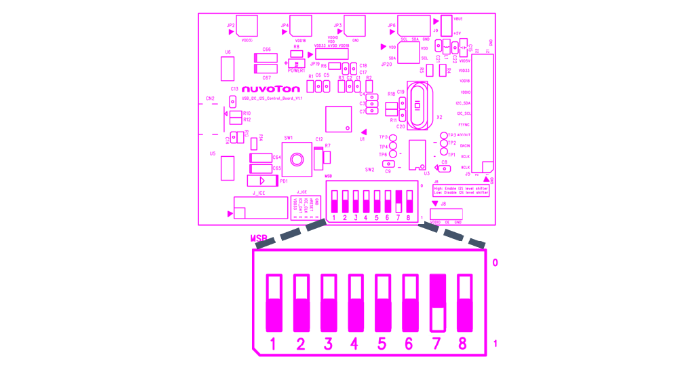
| 1. | Confirm that pin 7 of SW2 of NU-NAUSB212C is high and the rest are low level, as shown in below. | |
|
PIN Status of NU-NAUSB212C SW2 |
||
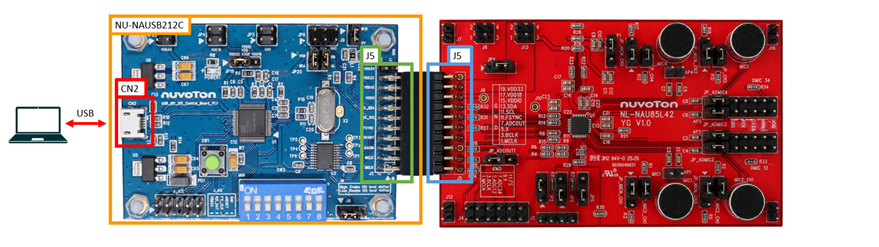
| 2. | Connect J5 of NU-NAUSB212C to J5 of NL-NAU85L42. Figure is the diagram after two boards are connected to each other. | |
|
NU-NAUSB212C Connection |
||
| 3. | CN2 of NU-NAUSB212C uses USB Cable to connect to a PC under Windows system. (If possible, please do not connect to the PC through USB HUB). Figure shows the audio signal path after the two boards are connected to each other. | |
|
Signal Path of NU-NAUSB212C and NL-NAU85L42 |
||
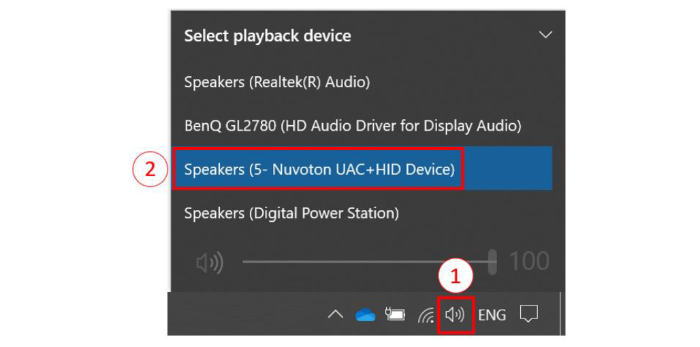
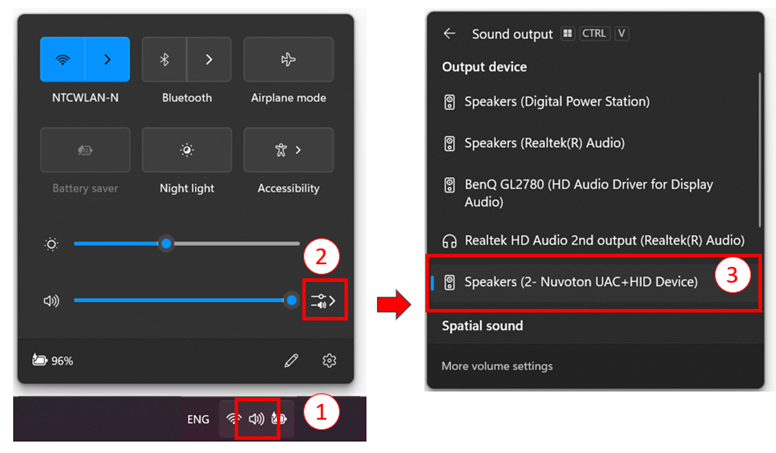
| 4. | Select the audio device on the PC as "Nuvoton UAC+HID Device". For example, under Win10 or Win11 system, users can click the speaker icon on the bottom-right corner of the desktop and choose the device "Nuvoton UAC+HID Device," as shown in Figure. This will select "Nuvoton UAC+HID Device" as the current playback device. | |
|
PC Audio Device Setting (Win10)
PC Audio Device Setting (Win11) |
||
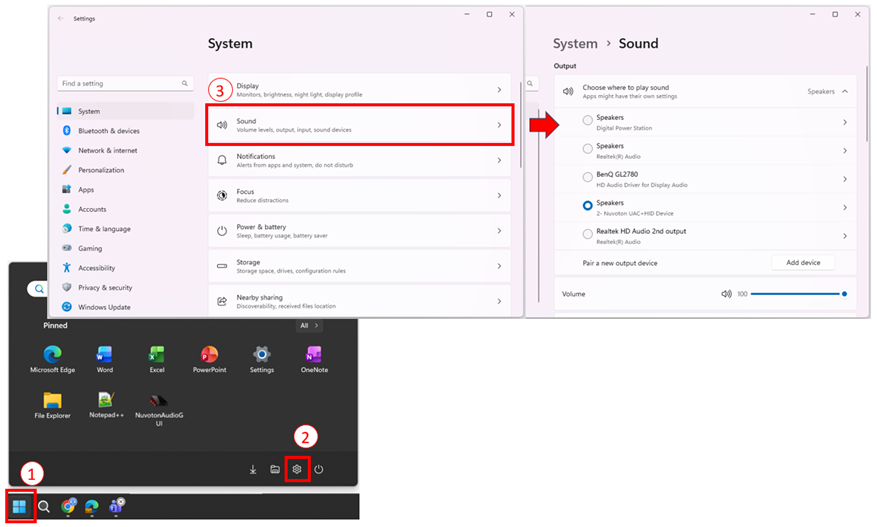
| 5. | After the NU-NAUSB212C is connected to a PC, the Audio Interface is configured but remains inactive. The Audio Interface is enabled only when audio streaming is initiated by the host. Audio streaming can be triggered by playing an audio file or by navigating to Settings > System > Sound in Windows show in Figure Once enabled, the NU-NAUSB212C outputs MCLK, BCLK, and FS signals to the audio device. It is recommended to perform this step before using the ADC function. | |
|
Navigate to Windows Settings > System > Sound |
||
|
Resources User Manual | NAU85L42YG | Software Development Tool | Driver (BSP) | Programmer | Nuvoton Official Forum | Nuvoton eStore *Ordering Number : NL-NAU85L42 |
||

 粤公网安备 44030502010001号