NuMaker-Lighting-ARGB Development Kit

  • 培訓  前瞻應用  學習  影片長度 - 11:15
    This video introduces the use of the touch key development tool. It begins with an introduction to the tool's functions and features. It then details how to build a calibration environment. It then explains how to use the tool to configure parameters such as pinout, sensitivity, and response time, and complete the automated calibration process. Finally, it demonstrates how to export calibration parameters and quickly verify touch key performance. #Nuvoton #NuMicro #Microcontroller #MCU #en #Touch Key #Configure Parameters #Calibrate #Performance Confirmation #Export Parameters #General #Application #Training #Learning - For more information, please visit Nuvoton Technology Website: https://bit.ly/3hVdcmC buy now: https://direct.nuvoton.com/ contact us: SalesSupport@nuvoton.com
  • 前瞻應用  研討會  影片長度 - 2:4
    NuMaker-Lighting-ARGB 是一款用於 ARGB 應用的評估板,展示如何以 MCU 控制 ARGB 燈條,並呈現多種燈效。為了增加開發的靈活性,NuMaker-Lighting-ARGB支持與多款不同的 NuMaker 主板連接使用,任何人皆可以輕鬆地為其產品開發獨特的燈光效果。 #zh-Hant #Application #Seminar #General #NuMicro #mcu #NuMaker #NuMakerLightingARGB #ARGB #LED #Gen2LED #MCUControl #LightingEffects #LLSI #PSIO #SPI #UART #USBControl #PCTool #MicrosoftDynamicLighting #Windows11 #Certified #LEDStrip #ExternalPower #FlexibleDevelopment - 【新唐科技 2025 年度研討會 - 啟動智慧融合,賦能多元創新】 精彩內容:https://www.nuvoton.com/landing/roadshow.html - 更多產品資訊,請至新唐科技網站 https://bit.ly/3VgFUTL 購買管道:https://direct.nuvoton.com/tw 聯絡我們:https://www.nuvoton.com/support/technical-support/form/
  • 前瞻應用  研討會  影片長度 - 1:28
    市場上的電子產品的有多種類電源適配器。 然而,如果每個電子產品都可以配備 USB-C PD,那麼大多數電源都可以統一,而無需使用不同的電源適配器。 該參考設計基於 NuMicro M2L31 微控制器強大的外設集,配備了 USB PD 3.0、電機驅動功能,甚至還配備了觸摸按鍵用戶界面。用戶可以使用PD適配器為開發板供電並驅動電機。此外,通過觸摸按鍵界面,用戶可以任意控制風扇。 #zh-Hant #Application #Seminar #General #NuMicro #mcu #M2L31 #ArmCortexM23 #USBPD #PD3.0 #MotorControl #TouchKey #ADC #ACMP #PWM #DAC #PDMA #eCAP #QEI #TypeC #HighTouchSensitivity #HighNoiseImmunity #EmbeddedDesign #ReferenceDesign #FlexibleDevelopment #BOMReduction #CommercialAdapter #MotorDrive - 【新唐科技 2025 年度研討會 - 啟動智慧融合,賦能多元創新】 精彩內容:https://www.nuvoton.com/landing/roadshow.html - 更多產品資訊,請至新唐科技網站 https://bit.ly/3VgFUTL 購買管道:https://direct.nuvoton.com/tw 聯絡我們:https://www.nuvoton.com/support/technical-support/form/
  • 前瞻應用  工具  其他  學習  影片長度 - 3:45
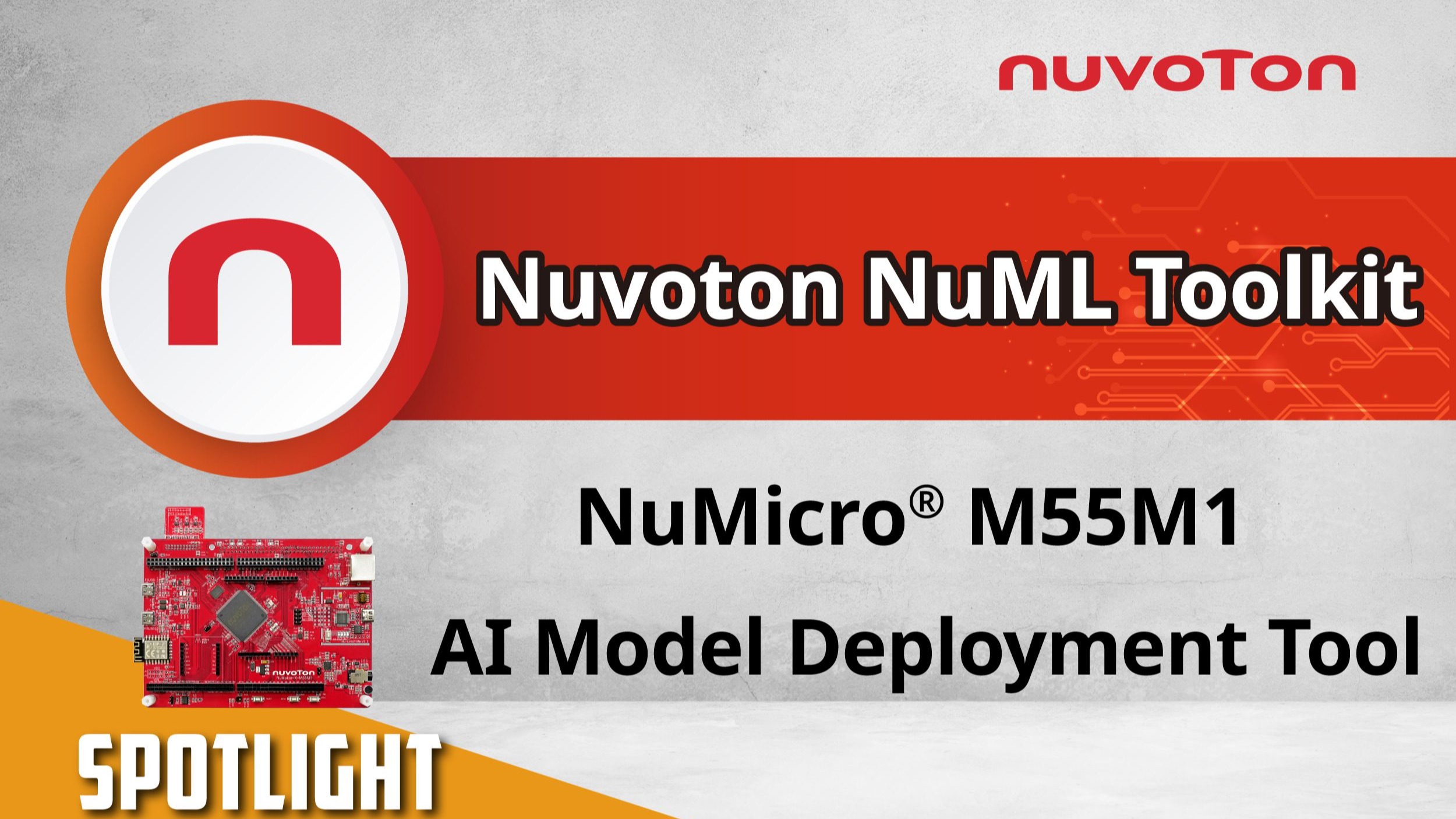
    本影片介紹新唐科技 NuML Toolkit 的完整操作流程,示範如何將訓練完成的 AI 模型,快速部署至 NuMicro® M55M1 微控制器平台。透過 NuML Toolkit,使用者僅需幾個步驟,即可完成模型轉換、專案生成、編譯與燒錄,支援語音辨識、影像分析與感測器資料處理等多元 AI 應用。 適合用於智慧家庭、物聯網與各類終端邊緣 AI 裝置,是開發者實現高效 AI 部署的最佳利器。 #zh-Hant #Nuvoton #NuMicro #Microcontroller #MCU #M55M1 #TinyML #AI #General #Application #Others #Tool #Learning - 更多產品資訊,請至新唐科技網站 https://bit.ly/3VgFUTL 購買管道:https://direct.nuvoton.com/tw 聯絡我們:https://www.nuvoton.com/support/technical-support/form/
  • 前瞻應用  工具  其他  學習  影片長度 - 4:12
    This video introduces the complete operation flow of Nuvoton’s NuML Toolkit, demonstrating how to quickly deploy a trained AI model to the NuMicro® M55M1 microcontroller platform. With NuML Toolkit, users can complete model conversion, project generation, compilation, and programming in just a few steps. It supports a wide range of AI applications, including voice recognition, image analysis, and sensor data processing. Ideal for smart home, IoT, and various edge AI devices, NuML Toolkit is the perfect tool for developers to achieve efficient AI deployment. #Nuvoton #NuMicro #Microcontroller #MCU #en #m55m1 #TinyML #AI #General #Application #Others #Tool #Learning - For more information, please visit Nuvoton Technology Website: https://bit.ly/3hVdcmC buy now: https://direct.nuvoton.com/ contact us: SalesSupport@nuvoton.com
  • 工具  學習  影片長度 - 3:38
    The NuEzAI development tool, combined with the NuEzAI-M55M1 development board and the online model training platform, allows customers to train an image recognition model in three minutes without extensive programming knowledge or a deep understanding of complex algorithms. The model can then be easily deployed onto the NuEzAI-M55M1 board, significantly lowering the barrier to AI development. Even without any prior experience in Edge AI development, you can seamlessly begin creating your first AI application with the NuEzAI-M55M1 board. System developers are welcome to contact the Nuvoton team via the "Contact Us" form on the Nuvoton AI webpage at www.nuvoton.com/ai, and explore the new value of Edge AI together. #Nuvoton #NuMicro #Microcontroller #MCU #en #M55M1 #TinyML #AI #MachineLearning #NuEzAI-M55M1 #General #Tool #Learning - For more information, please visit Nuvoton Technology Website: https://bit.ly/3hVdcmC buy now: https://direct.nuvoton.com/ contact us: SalesSupport@nuvoton.com
  • 前瞻應用  研討會  影片長度 - 10:50
    #zh-Hant #Application #Seminar #General - 更多產品資訊,請至新唐科技網站 https://bit.ly/3hVdcmC 購買管道:https://direct.nuvoton.com/tw/low-pow... 聯絡我們: SalesSupport@nuvoton.com
  • 創新產品  學習  影片長度 - 5:4
    This video will introduce how Nuvoton utilizes all design resources for MA35D1. The Design Resource page assemble all MA35D1-related documents, software and hardware resources, divided into eight sections to streamline the search process and minimize user search time. Let's take the NuMaker-HMI-MA35D1-S1 evaluation board as an example. Begin by exploring its features and identifying suitable applications. Then, leverage the design resource page to facilitate a quick and efficient development process, allowing you to get your own application in the shortest time. #MA35D1 #DesignResource #DevelopmentEnvironment #QuickStart #Nuvoton #NuMicro #Microcontroller #MCU #en #Basic #Product #Learning - For more information, please visit Nuvoton Technology Website: https://bit.ly/3hVdcmC buy now: https://direct.nuvoton.com/ contact us: SalesSupport@nuvoton.com
  • 創新產品  學習  影片長度 - 5:29
    This video will introduce NuMaker-HMI-MA35D1-S1 Quick Start to you. 1. Unboxing 2. Power On and Demonstration 3. NuMaker-HMI-MA35D1-S1 Introduction 4. Development Platform 5. Development Environment Setup #HMI #SoM #System-on-Module #Yocto #DevelopmentBoard #Product #general #en #learning - For more information, please visit Nuvoton Technology Website: https://bit.ly/3hVdcmC buy now: https://direct.nuvoton.com/ contact us: SalesSupport@nuvoton.com
  • 培訓  學習  影片長度 - 10:12
    This video shows the example code of GPIO by using Nuvoton M031/M032 development board. It includes the description of the sample code, the explanation of the code, and the steps to compile and download the sample program. Finally, it shows the result of the operation of the GPIO sample code, so that users can easily operate Nuvoton's development board and the GPIO sample code according to the steps. #Training #Basic #en #Learning - For more information, please visit Nuvoton Technology Website: https://bit.ly/3hVdcmC buy now: https://direct.nuvoton.com/ contact us: SalesSupport@nuvoton.com
  • 創新產品  前瞻應用  學習  影片長度 - 5:20
    Hi everyone, I'm Aaron. The FAE of Nuvoton technology. Today, I'm glad to show you the Nuvoton secure development board, NuMaker-IoT-M2354. The NuMaker-IoT-M2354 is an IoT evaluation board powered by the NuMicro® M2354 series. Before the introduction of NuMaker-IoT-M2354, I will take you to a quick understanding of NuMicro M2354. The M2354 is the latest NuMicro IoT series product which is based on Arm® Cortex®-M23 CPU core technology. The TrustZone® technology based on Armv8-M architecture is a CPU system-wide approach to microcontroller security. The M2354 series carry 1 Mbytes embedded Flash memory and 256 Kbytes SRAM. It's essential for IoT devices with real-time OS requirements. And you can focus on software development without warring about the flash and SRAM resource. The M2354 series is equipped with plenty of peripherals. In addition to providing UART I2C SPI Timer, it also supports the Quad SPI, USB FS OTG, and CAN BUS. Furthermore, to satisfy the IoT device's display development, the M2354 series built-in 8 COM x 40 SEG LCD controller drives up to 320 dots to meet various smart home and IoT appliances. In addition to providing many peripherals, the critical feature of M2354 is supporting many security functions. The secure boot ensures the legality and integrity of the running firmware. The hardware crypto with RSA/ECC/AES/SHA accelerators can help the device connect to the cloud fast and safely. Moreover, the M2354 is equipped with Key Store, which could be used with crypto accelerators to enhance the chip security level. To comply with Arm PSA CertifiedTM Level 3, the M2354 has implemented some countermeasures to protect against non-invasive attacks like side-channel attacks or fault injection attacks. The NuMaker-IoT-M2354 equips a Bosch environmental sensor, BME680, which contains temperature, humidity, barometric pressure, and VOC gas sensing capabilities. After getting data from the sensor, users can send data to the cloud, such as Pelion or AWS, by Mbed OS. Because M2354 supports hardware crypto, the data can be sent more efficiently and safely. The data could be shown on the LCD panel by the LCD library provided in the M2354 BSP. The NuMaker-IoT-M2354 contains a Wi-Fi module and LoRa module for wireless applications. Depending on the data throughput and power consumption, you can choose one of them for your IoT applications. In the LoRa network, each node is not connected but must be connected to the gateway before being linked back to the central host, or data can be transmitted to another node through the central host. For example, if choosing the LoRa module for the cloud development, you could use NUC980 LoRa Gateway for your gateway platform. The NuMaker-IoT-M2354 supports the radio frequency band of the LoRa module on 915MHz and 433MHz, depending on the customer's requirement. In addition to providing the rich peripheral, the NuMaker-IoT-M2354 also equips the Arduino UNO connector and mikroBUS™ connector for flexible applications. Suppose you want to develop other wireless connecting features like 4G-LTE or NB-IoT. In that case, the Nuvoton also provides a UNO-to-PCI adapter board to supports Quectel EC21 4G/LTE and Quectel BG96 NB-IoT modules. The NuMaker-IoT-M2354 also provides multiple power supplies by external power connectors and an ammeter connector that can instantly measure power consumption. In addition, the Nu-link2-Me on the board is a debugger and programmer supporting development on Keil, IAR, GCC, and Mbed IDE. #en #Learning #Basic #Application #Product - Online Purchase Development Tools: ● M2354 Series https://www.nuvoton.com/products/microcontrollers/arm-cortex-m23-mcus/m2354-series/index.html ● NuMaker-LoRa-NUC980 https://www.nuvoton.com/products/iot-solution/lora-platform/ ● NuMaker-M2354 https://direct.nuvoton.com/en/numaker-m2354 ● Quectel-BG96A https://direct.nuvoton.com/en/quectel-bg96a ● Quectel-EC21A https://direct.nuvoton.com/en/quectel-ec21a - For more information, please visit Nuvoton Technology Website: https://bit.ly/3hVdcmC buy now: https://direct.nuvoton.com/ contact us: SalesSupport@nuvoton.com
  • 創新產品  工具  學習  影片長度 - 8:24
    The video introduces Nuvoton's MPU N9H30's development set-up for Linux and Non-OS, taking NuMaker-emWin-RDK-N9H30 for example. Starting from the EVB introduction to BSP and related software downloads. - User manuals and related resource can be downloaded https://www.nuvoton.com/products/gui-solution/gui-reference-design/numaker-emwin-rdk-n9h30/ First, we introduce how to program Linux OS to the N9H30 evaluation board Find the N9H30 evaluation board resource that we used on Nuvoton’s Github and download the VMware Image https://github.com/OpenNuvoton/MPU-Family VMware application can be downloaded from the VMware website https://www.vmware.com/tw/products/workstation-player/workstation-player-evaluation.html First, open the VMware Find the ubuntu_NUC970_980_Linux folder we downloaded Choose Ubuntu 64-bit_nuvoton.vmx Choose Play virtual machine The password is “user” It will take a while to open this application for the first time Open the terminal when the system is ready Enter NUC970_Buildroot-master folder After entering the folder, we need to update the Buildroot tool Enter the command as shown below “git reset –hard” “git pull” After updating, enter the dl folder Remove the original Linux kernel and u-boot Enter the command as shown below “sudo rm -rf linux-master.tar.gz uboot-master.tar.gz” After entering, enter the password “user” Leave the dl folder and enter the Buildroot folder Enter the “make clean” command You don’t need to do these steps unless updating Buildroot tools Now, we set up the evaluation board configuration Enter configs folder to search evaluation board name Back to buildroot after searching Enter “make nuvoton_n9h30_emwin_defconfig” to generate configuration file After finishing these step, enter “make” to compile It will take about three hours to compile After compiling, copy the two files below to windows “/NUC970_Buildroot-master/output/images/uImage” “/NUC970_Buildroot-master/output/build/uboot-master/u-boot.bin” Create text file ”env-nor.txt” The content is shown below: baudrate=115200 bootdelay=1 stderr=serial stdin=serial stdout=serial setspi=sf probe 0 50000000 loadkernel=sf read 0x7fc0 0x200000 0x600000 bootcmd=run setspi;run loadkernel;bootm 0x7fc0 bootargs=noinitrd root=/dev/mtdblock2 rw rootfstype=jffs2 console=ttyS0 rdinit=/sbin/init mem=32M mtdparts=m25p80:0x200000@0x0(u-boot),0x600000@0x200000(kernel),-(user) ignore_loglevel Then, we need to install NuWriter and related file The NuWriter is a programming tool provided by Nuvoton. The NuWriter application and firmware code are open-sourced, and users can add new features or develop new user interfaces per user’s application NuWriter: https://github.com/OpenNuvoton/MPU-Family Open “NUC970_NuWriter-master” Enter Driver folder and install “WinUSB4NuVCOM.exe” Enter /Nuwriter/Release and execute NuWriter Choose IC number based on the evaluation board We need to program Image to SPI Flash, so we choose SPI Here we need to turn the all Power-On Setting to ON Push Reset button Return to NuWriter to check the green light and the connection If it is not connecting, click Re-Connect to reconnect After confirm the connection, start to program Image Program the three files to particular address u-boot.bin program to 0xe00000 env.nor.txt program to 0x80000 uImage program to 0x200000 After programming, turn the Power-On Setting to off Push the Reset button Evaluation board can start to boot from SPI-NOR After booting, we need to find the rcS demo application under/etc/init.d Enter “chmod 777 rcS” to modify the application Now, you can see the application on the evaluation board panel Here, we finish compiling and programming The next topic is how to compile and program Non-OS code First, download MDK-Arm from the link below https://www.keil.com/download/product/ Download the Non-OS BSP provided by Nuvoton https://github.com/OpenNuvoton/MPU-Family The BSP includes Keil environment set up user manual Use Keil need to purchase the related license After downloading, Open Keil uVision Click the File on the upper left and choose Open Go to the BSP that we downloaded choose BSP, SampleCode, emWin_SimpleDemo, KEIL and emWin_SimpleDemo.uvproj Click Option for Target Click Device and choose NuMicro ARM9 Database and N9H_series After setting up, click Rebuild, and it will generate a sample code application which is a binary file Open the NuWriter and connect it to the evaluation board Choose SPI and search the application we built \N9H30_emWin_Non-OS_BSP_v1.04.000\N9H30_emWin_Non-OS_BSP_v1.04.000\BSP\SampleCode\emWin_SimpleDemo\KEIL\obj\emWin_SimpleDemo_FW070TFT_24BPP.bin Follow the setting and program the file to 0x0 After programming, turn the Power-On Setting to boot from SPI You can see the demo application on the evaluation #Basic #Product #Tool #Learning #en - For more information, please visit Nuvoton Technology Website: https://bit.ly/3hVdcmC buy now: https://direct.nuvoton.com/ contact us: SalesSupport@nuvoton.com