Search
Popular Topics
Search Results
SearchNu Link ,
find 33 items
- Sort by
- Most recent
- Popularity
훈련
도구
공부하다
Watch time - 3:24
이 영상에서는 누보톤 NuLink-Gang이라는 프로그래밍 및 디버깅 툴과 NuLink2-Pro에 대해 소개하고 활용 방법에 대해서 시나리오를 제공합니다.
#Tool #Training #Learning #Intermediate #ko
-
자세한 내용은 누보톤 테크놀로지 웹사이트(https://bit.ly/3hVdcmC)에서 확인할 수 있습니다.
구매하기: https://direct.nuvoton.com/en/numaker-m251sd
문의하기 SalesSupport@nuvoton.com
훈련
도구
공부하다
Watch time - 1:43
이번 영상에서는 Nu-Link Keil 드라이버를 다운로드하고 설치하는 방법을 소개합니다. 콘텐츠에는 누보톤 웹사이트에서 Nu-Link Keil 드라이버를 다운로드하는 방법과 설치 시 주의해야 할 사항이 포함되어 있어 Arm Keil을 더 빠르고 원활하게 사용할 수 있습니다.
#Tool #Training #Learning #Intermediate #ko
-
자세한 정보는 누보톤 테크놀로지 홈페이지에서 확인하세요: https://bit.ly/3hVdcmC
구매하기: https://direct.nuvoton.com/en/numaker-m251sd
문의하기: SalesSupport@nuvoton.com
훈련
공부하다
Watch time - 11:47
이 동영상은 사용자가 Non-OS 환경에서 누보톤 N9H30 시리즈 마이크로컨트롤러 개발을 빠르게 시작할 수 있도록 안내하며, SEGGER emWin AppWizard 툴을 사용한 GUI 설계를 시연합니다. 또한 이 동영상에서는 J-Link를 사용하여 디버그 모드로 진입하고 NuWriter를 통해 NuMaker-HMI-N9H30 평가 보드에 AppWizard 프로젝트를 배포하는 방법을 알려드립니다.
#emWinAppWizard #MPU #N9H #N9H30 #NonOS #HMI #GUIdesign #QuickStart #NuWriter #JLink #Debug #Basic #Training #Learning #ko
-
For more information, please visit Nuvoton Technology Website: https://bit.ly/3hVdcmC
buy now: https://direct.nuvoton.com/
contact us: SalesSupport@nuvoton.com
훈련
공부하다
Watch time - 11:47
This video will guide users to quickly start developing Nuvoton N9H30 series microcontroller in a non-OS environment, and will demonstrate a GUI design by SEGGER emWin AppWizard tool. This video also shows how to enter the debug mode with J-Link and deploy the AppWizard project to the NuMaker-HMI-N9H30 evaluation board by NuWriter.
#emWinAppWizard #MPU #N9H #N9H30 #NonOS #HMI #GUIdesign #QuickStart #NuWriter #JLink #Debug #Basic #Training #Learning #en
-
For more information, please visit Nuvoton Technology Website: https://bit.ly/3hVdcmC
buy now: https://direct.nuvoton.com/
contact us: SalesSupport@nuvoton.com
제품
공부하다
Watch time - 2:12
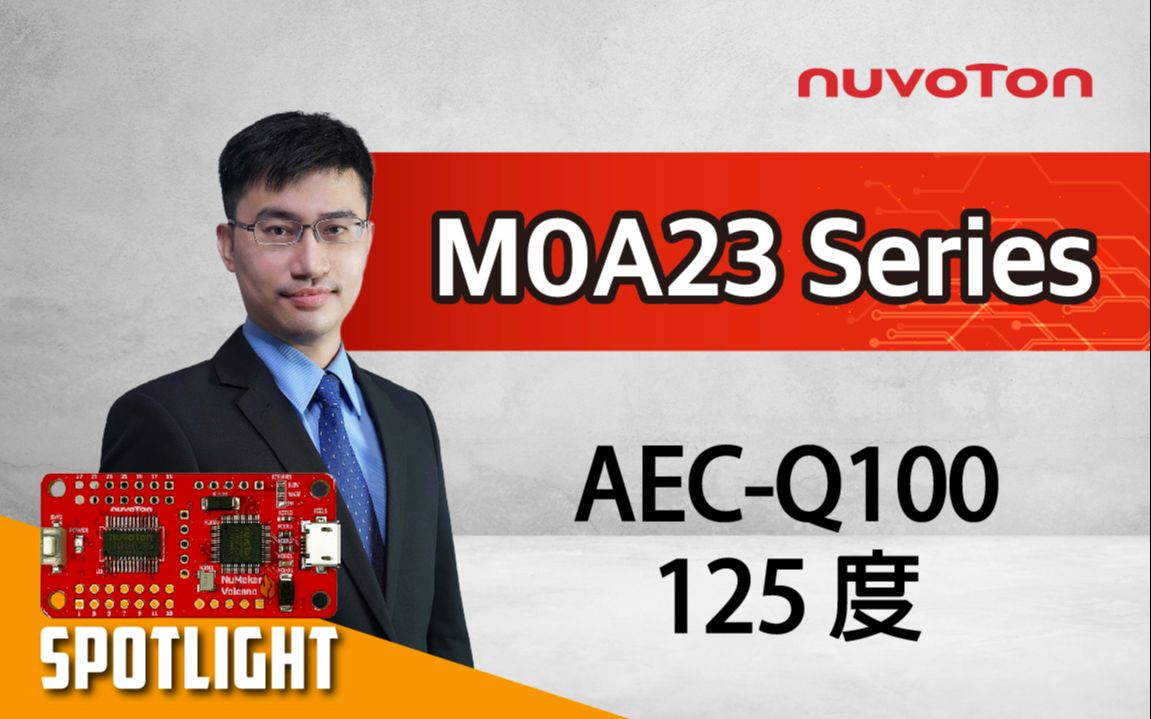
NuMaker-Volcano는 Nuvoton NuMicro® M0A21/M0A23 마이크로 컨트롤러용 개발 보드입니다. 이 보드은 동전보다 약간 큰 2.5x5mm의 컴팩트한 크기가 돋보입니다. 강력한 M0A23 마이크로 컨트롤러가 장착되어 있으며 28개의 모든 핀을 회로 기판 연결에 사용할 수 있습니다. 또한 프로그래밍 및 디버거 용도의 Nu-Link2-Me를 갖추고 있습니다. NuMaker-Volcano는 산업 및 자동차 애플리케이션의 평가, 개발, 검증을 위한 다목적 플랫폼으로 사용됩니다.
#AEC-Q100 #125degree #Volcano #Microcontroller #Automotive #MCU #Nuvoton #NuMicro #M0A23 #Basic #Product #learning #kr #누보톤 #누보톤코리아 #ko
자세한 정보는 누보톤 테크놀로지 웹사이트(https://bit.ly/3hVdcmC)에서 확인할 수 있습니다.
구매하기: https://direct.nuvoton.com/
문의하기: SalesSupport@nuvoton.com
훈련
애플리케이션
도구
공부하다
Watch time - 32:41
● Intro
● Software preparation
● GUI design
● Animation & Interaction
● Build code
● SPIM function
● Demo
This video demonstrates how to use the Nuvoton M467 HMI evaluation board(NuMaker-HMI-M467) with the SEGGER emWin AppWizard tool to rapidly create an electric bicycle dashboard interface. The video covers various aspects, including creating interaction and design by combining different objects, exporting the code, code explanations, compiling the code, and showcasing the results of the emWin AppWizard E-bike example program. This step-by-step guide enables users to easily operate the Nuvoton-HMI-M467 and emWin AppWizard tool.
Example code download link:
http://forum.nuvoton.com/viewtopic.php?f=19&t=11186&sid=1f4715f5205c1fb45b47aa8ad301cf2c
#NuMicro #Nuvoton #Basic #Application #Tool #Training #Learning #HMI #M4 #emWin #AppWizard #GUI #Ebike #dashboard #新唐科技 #MCU #Microcontroller #MCU #en
-
For more information, please visit Nuvoton Technology Website: https://bit.ly/3hVdcmC
buy now: https://direct.nuvoton.com/
contact us: SalesSupport@nuvoton.com
NuMaker-Volcano - An 2.5x5mm emulation board base on automotive grade microcontroller NuMicro® M0A23
제품
공부하다
Watch time - 2:12
NuMaker-Volcano is the development board for Nuvoton NuMicro® M0A21/M0A23 microcontrollers. This board stands out with its compact size of only 2.5x5 millimeters, slightly larger than a coin. It comes equipped with the powerful M0A23 microcontroller, and all 28 pins are accessible for circuit board connections. Additionally, it features a Nu-Link2-Me for programming and debugger purposes. NuMaker-Volcano serves as a versatile platform for evaluating, developing, and validating industrial and automotive applications.
#AEC-Q100 #125degree #Volcano #Microcontroller #Automotive #MCU #Nuvoton #NuMicro #M0A23 #Basic #Product #learning #en
-
For more information, please visit Nuvoton Technology Website: https://bit.ly/3hVdcmC
buy now: https://direct.nuvoton.com/
contact us: SalesSupport@nuvoton.com
공부하다
Watch time - 5:20
오늘은 누보톤의 보안 개발 기판인 NuMaker-IoT-M2354를 소개해 드리겠습니다. NuMaker-IoT-M2354는 NuMicro® M2354 시리즈로 구동되는 IoT 평가 기판입니다. NuMaker-IoT-M2354를 소개하기 전에 NuMicro M2354에 대해 간략히 설명하겠습니다. M2354는 Arm® Cortex®-M23 CPU 코어 기술을 기반으로 하는 최신 NuMicro IoT 시리즈 제품입니다. Armv8-M 아키텍처를 기반으로 하는 TrustZone® 기술은 마이크로 컨트롤러 보안에 대한 CPU 시스템 전반의 접근 방식입니다. M2354 시리즈는 1M바이트 임베디드 플래시 메모리와 256K바이트 SRAM을 탑재하고 있습니다. 실시간 OS 요구 사항이 있는 IoT 장치에 필수적입니다. 또한 플래시 및 SRAM 리소스에 대한 걱정 없이 소프트웨어 개발에 집중할 수 있습니다.
M2354 시리즈에는 다양한 주변 장치가 장착되어 있습니다. UART I2C SPI 타이머를 제공할 뿐만 아니라 쿼드 SPI, USB FS OTG 및 CAN BUS도 지원합니다. 또한 IoT 기기의 디스플레이 개발을 만족시키기 위해 M2354 시리즈에 내장된 8 COM x 40 SEG LCD 컨트롤러는 최대 320 도트를 구동하여 다양한 스마트 홈 및 IoT 가전을 충족합니다.
다양한 주변 장치를 제공하는 것 외에도 M2354의 중요한 특징은 다양한 보안 기능을 지원한다는 것입니다. 보안 부팅은 실행 중인 펌웨어의 적법성과 무결성을 보장합니다. RSA/ECC/AES/SHA 가속기가 포함된 하드웨어 암호화는 디바이스가 클라우드에 빠르고 안전하게 연결할 수 있도록 도와줍니다. 또한 M2354에는 암호화 가속기와 함께 사용하여 칩 보안 수준을 향상시킬 수 있는 키 스토어가 장착되어 있습니다.
M2354는 Arm PSA 인증 레벨 3을 준수하기 위해 사이드 채널 공격이나 오류 주입 공격과 같은 비침습적 공격으로부터 보호하기 위한 몇 가지 대응책을 구현했습니다.
NuMaker-IoT-M2354에는 온도, 습도, 기압, VOC 가스 감지 기능이 포함된 보쉬 환경 센서 BME680이 장착되어 있습니다. 사용자는 센서에서 데이터를 가져온 후 엠베드 OS를 통해 펠리언이나 AWS와 같은 클라우드로 데이터를 전송할 수 있습니다. M2354는 하드웨어 암호화를 지원하기 때문에 데이터를 보다 효율적이고 안전하게 전송할 수 있습니다. 데이터는 M2354 BSP에서 제공하는 LCD 라이브러리를 통해 LCD 패널에 표시할 수 있습니다.
NuMaker-IoT-M2354에는 무선 애플리케이션을 위한 Wi-Fi 모듈과 LoRa 모듈이 포함되어 있습니다. 데이터 처리량과 전력 소비에 따라 IoT 애플리케이션에 이 중 하나를 선택할 수 있습니다. LoRa 네트워크에서는 각 노드가 연결되지 않고 게이트웨이에 연결되어야 중앙 호스트에 다시 연결되거나 중앙 호스트를 통해 다른 노드로 데이터가 전송될 수 있습니다. 예를 들어 클라우드 개발을 위해 LoRa 모듈을 선택하는 경우 게이트웨이 플랫폼으로 NUC980 LoRa 게이트웨이를 사용할 수 있습니다.
NuMaker-IoT-M2354는 고객의 요구 사항에 따라 915MHz 및 433MHz에서 LoRa 모듈의 무선 주파수 대역을 지원합니다.
다양한 주변 장치를 제공하는 것 외에도 NuMaker-IoT-M2354는 유연한 응용 분야를 위해 Arduino UNO 커넥터와 mikroBUS™ 커넥터를 장착하고 있습니다.
4G-LTE 또는 NB-IoT와 같은 다른 무선 연결 기능을 개발하고자 한다고 가정해 보겠습니다. 이 경우 누보톤은 Quectel EC21 4G/LTE 및 Quectel BG96 NB-IoT 모듈을 지원하는 UNO-PCI 어댑터 기판도 제공합니다.
또한 NuMaker-IoT-M2354는 외부 전원 커넥터를 통한 다중 전원 공급 장치와 전력 소비를 즉시 측정할 수 있는 전류계 커넥터를 제공합니다. 또한 보드에 탑재된 Nu-link2-Me는 Keil, IAR, GCC 및 Mbed IDE에서 개발을 지원하는 디버거 및 프로그래머입니다.
#learning #nuvoton #nuvotonkorea #M2354 #IoT #NuMaker #누보톤 #누보톤코리아 #ko
Online Purchase Development Tools:
● M2354 Series
https://www.nuvoton.com/products/micr...
● NuMaker-LoRa-NUC980
https://www.nuvoton.com/products/iot-...
● NuMaker-M2354
https://direct.nuvoton.com/tw/numaker...
● Quectel-BG96A
https://direct.nuvoton.com/en/quectel...
● Quectel-EC21A
https://direct.nuvoton.com/en/quectel...
-
For more information, please visit Nuvoton Technology Website: https://bit.ly/3hVdcmC
buy now: https://direct.nuvoton.com/
contact us: SalesSupport@nuvoton.com
제품
애플리케이션
공부하다
Watch time - 5:20
Hi everyone, I'm Aaron. The FAE of Nuvoton technology.
Today, I'm glad to show you the Nuvoton secure development board, NuMaker-IoT-M2354. The NuMaker-IoT-M2354 is an IoT evaluation board powered by the NuMicro® M2354 series. Before the introduction of NuMaker-IoT-M2354, I will take you to a quick understanding of NuMicro M2354. The M2354 is the latest NuMicro IoT series product which is based on Arm® Cortex®-M23 CPU core technology. The TrustZone® technology based on Armv8-M architecture is a CPU system-wide approach to microcontroller security. The M2354 series carry 1 Mbytes embedded Flash memory and 256 Kbytes SRAM. It's essential for IoT devices with real-time OS requirements. And you can focus on software development without warring about the flash and SRAM resource.
The M2354 series is equipped with plenty of peripherals. In addition to providing UART I2C SPI Timer, it also supports the Quad SPI, USB FS OTG, and CAN BUS. Furthermore, to satisfy the IoT device's display development, the M2354 series built-in 8 COM x 40 SEG LCD controller drives up to 320 dots to meet various smart home and IoT appliances.
In addition to providing many peripherals, the critical feature of M2354 is supporting many security functions. The secure boot ensures the legality and integrity of the running firmware. The hardware crypto with RSA/ECC/AES/SHA accelerators can help the device connect to the cloud fast and safely. Moreover, the M2354 is equipped with Key Store, which could be used with crypto accelerators to enhance the chip security level.
To comply with Arm PSA CertifiedTM Level 3, the M2354 has implemented some countermeasures to protect against non-invasive attacks like side-channel attacks or fault injection attacks.
The NuMaker-IoT-M2354 equips a Bosch environmental sensor, BME680, which contains temperature, humidity, barometric pressure, and VOC gas sensing capabilities. After getting data from the sensor, users can send data to the cloud, such as Pelion or AWS, by Mbed OS. Because M2354 supports hardware crypto, the data can be sent more efficiently and safely. The data could be shown on the LCD panel by the LCD library provided in the M2354 BSP.
The NuMaker-IoT-M2354 contains a Wi-Fi module and LoRa module for wireless applications. Depending on the data throughput and power consumption, you can choose one of them for your IoT applications. In the LoRa network, each node is not connected but must be connected to the gateway before being linked back to the central host, or data can be transmitted to another node through the central host. For example, if choosing the LoRa module for the cloud development, you could use NUC980 LoRa Gateway for your gateway platform.
The NuMaker-IoT-M2354 supports the radio frequency band of the LoRa module on 915MHz and 433MHz, depending on the customer's requirement.
In addition to providing the rich peripheral, the NuMaker-IoT-M2354 also equips the Arduino UNO connector and mikroBUS™ connector for flexible applications.
Suppose you want to develop other wireless connecting features like 4G-LTE or NB-IoT. In that case, the Nuvoton also provides a UNO-to-PCI adapter board to supports Quectel EC21 4G/LTE and Quectel BG96 NB-IoT modules.
The NuMaker-IoT-M2354 also provides multiple power supplies by external power connectors and an ammeter connector that can instantly measure power consumption. In addition, the Nu-link2-Me on the board is a debugger and programmer supporting development on Keil, IAR, GCC, and Mbed IDE.
#en #Learning #Basic #Application #Product
-
Online Purchase Development Tools:
● M2354 Series
https://www.nuvoton.com/products/microcontrollers/arm-cortex-m23-mcus/m2354-series/index.html
● NuMaker-LoRa-NUC980
https://www.nuvoton.com/products/iot-solution/lora-platform/
● NuMaker-M2354
https://direct.nuvoton.com/en/numaker-m2354
● Quectel-BG96A
https://direct.nuvoton.com/en/quectel-bg96a
● Quectel-EC21A
https://direct.nuvoton.com/en/quectel-ec21a
-
For more information, please visit Nuvoton Technology Website: https://bit.ly/3hVdcmC
buy now: https://direct.nuvoton.com/
contact us: SalesSupport@nuvoton.com
제품
도구
공부하다
Watch time - 8:24
The video introduces Nuvoton's MPU N9H30's development set-up for Linux and Non-OS, taking NuMaker-emWin-RDK-N9H30 for example. Starting from the EVB introduction to BSP and related software downloads.
-
User manuals and related resource can be downloaded
https://www.nuvoton.com/products/gui-solution/gui-reference-design/numaker-emwin-rdk-n9h30/
First, we introduce how to program Linux OS to the N9H30 evaluation board
Find the N9H30 evaluation board resource that we used on Nuvoton’s Github and download the VMware Image
https://github.com/OpenNuvoton/MPU-Family
VMware application can be downloaded from the VMware website
https://www.vmware.com/tw/products/workstation-player/workstation-player-evaluation.html
First, open the VMware
Find the ubuntu_NUC970_980_Linux folder we downloaded
Choose Ubuntu 64-bit_nuvoton.vmx
Choose Play virtual machine
The password is “user”
It will take a while to open this application for the first time
Open the terminal when the system is ready
Enter NUC970_Buildroot-master folder
After entering the folder, we need to update the Buildroot tool
Enter the command as shown below
“git reset –hard”
“git pull”
After updating, enter the dl folder
Remove the original Linux kernel and u-boot
Enter the command as shown below
“sudo rm -rf linux-master.tar.gz uboot-master.tar.gz”
After entering, enter the password “user”
Leave the dl folder and enter the Buildroot folder
Enter the “make clean” command
You don’t need to do these steps unless updating Buildroot tools
Now, we set up the evaluation board configuration
Enter configs folder to search evaluation board name
Back to buildroot after searching
Enter “make nuvoton_n9h30_emwin_defconfig” to generate configuration file
After finishing these step, enter “make” to compile
It will take about three hours to compile
After compiling, copy the two files below to windows
“/NUC970_Buildroot-master/output/images/uImage”
“/NUC970_Buildroot-master/output/build/uboot-master/u-boot.bin”
Create text file ”env-nor.txt”
The content is shown below:
baudrate=115200
bootdelay=1
stderr=serial
stdin=serial
stdout=serial
setspi=sf probe 0 50000000
loadkernel=sf read 0x7fc0 0x200000 0x600000
bootcmd=run setspi;run loadkernel;bootm 0x7fc0
bootargs=noinitrd root=/dev/mtdblock2 rw rootfstype=jffs2 console=ttyS0 rdinit=/sbin/init mem=32M mtdparts=m25p80:0x200000@0x0(u-boot),0x600000@0x200000(kernel),-(user) ignore_loglevel
Then, we need to install NuWriter and related file
The NuWriter is a programming tool provided by Nuvoton. The NuWriter application and firmware code are open-sourced, and users can add new features or develop new user interfaces per user’s application
NuWriter: https://github.com/OpenNuvoton/MPU-Family
Open “NUC970_NuWriter-master”
Enter Driver folder and install “WinUSB4NuVCOM.exe”
Enter /Nuwriter/Release and execute NuWriter
Choose IC number based on the evaluation board
We need to program Image to SPI Flash, so we choose SPI
Here we need to turn the all Power-On Setting to ON
Push Reset button
Return to NuWriter to check the green light and the connection
If it is not connecting, click Re-Connect to reconnect
After confirm the connection, start to program Image
Program the three files to particular address
u-boot.bin program to 0xe00000
env.nor.txt program to 0x80000
uImage program to 0x200000
After programming, turn the Power-On Setting to off
Push the Reset button
Evaluation board can start to boot from SPI-NOR
After booting, we need to find the rcS demo application under/etc/init.d
Enter “chmod 777 rcS” to modify the application
Now, you can see the application on the evaluation board panel
Here, we finish compiling and programming
The next topic is how to compile and program Non-OS code
First, download MDK-Arm from the link below
https://www.keil.com/download/product/
Download the Non-OS BSP provided by Nuvoton
https://github.com/OpenNuvoton/MPU-Family
The BSP includes Keil environment set up user manual
Use Keil need to purchase the related license
After downloading, Open Keil uVision
Click the File on the upper left and choose Open
Go to the BSP that we downloaded choose BSP, SampleCode, emWin_SimpleDemo, KEIL and emWin_SimpleDemo.uvproj
Click Option for Target
Click Device and choose NuMicro ARM9 Database and N9H_series
After setting up, click Rebuild, and it will generate a sample code application which is a binary file
Open the NuWriter and connect it to the evaluation board
Choose SPI and search the application we built
\N9H30_emWin_Non-OS_BSP_v1.04.000\N9H30_emWin_Non-OS_BSP_v1.04.000\BSP\SampleCode\emWin_SimpleDemo\KEIL\obj\emWin_SimpleDemo_FW070TFT_24BPP.bin
Follow the setting and program the file to 0x0
After programming, turn the Power-On Setting to boot from SPI
You can see the demo application on the evaluation
#Basic #Product #Tool #Learning #en
-
For more information, please visit Nuvoton Technology Website: https://bit.ly/3hVdcmC
buy now: https://direct.nuvoton.com/
contact us: SalesSupport@nuvoton.com
훈련
애플리케이션
도구
웨비나
Watch time - 59:50
Always want to knock on the door and get in the MCU world? Here is a perfect entrance for you!
To let anyone interested in MCU familiar with Nuvoton’s development environment, we provide you a beginner course. Thus, you can have not only a whole picture of Nuvoton’s Development platform, including EVB, debugger/programmer, IDE, BSP, and software, but can also implement a very first project in this workshop.
Nuvoton has a user-friendly environment even for beginners, so don’t hesitate to join us. Let Novoton’s rookie lead your way!
Before we get started, please follow the steps before the workshop.
1. Terminal Emulator Download
PuTTY:An open-source SSH and telnet client for the Windows platform.
Download – "putty.exe" https://www.putty.org/
2. IDE Installation - KEIL MDK Nuvoton edition M0 / M23
>Enter Contact Information
>Download and Install
>Get and Add License
Download link:https://www2.keil.com/nuvoton/M0-M23
Tutorial:https://youtu.be/dzp9sAm4vmg
-
Agenda:
• NuMicro® Ecosystem
• Nuvoton Golden 3 Steps
• NuMaker Board Unboxing & Introduction
• Practice for Very Beginner - Get Started by Quick Start
• Summary
-
For more information, please visit Nuvoton Technology Website: https://bit.ly/3hVdcmC
buy now: https://direct.nuvoton.com/
contact us: SalesSupport@nuvoton.com
#Application #Tool #Training #Webinar #General #en
훈련
도구
공부하다
Watch time - 3:40
Show how Nu-Link2-Pro uses ICP Programming Tool on PC to program ISP Bootloader to LDROM, and then use Nu-Link2-Pro Bridge I2C interface with ISP Programming Tool to upgrade the firmware of the target chip.
#en #Tool #Training #Intermediate #Learning
-
For more information, please visit Nuvoton Technology Website: https://bit.ly/3hVdcmC
Buy now: https://bit.ly/3bk0AD8
Contact us: SalesSupport@nuvoton.com
粤公网安备 44030502010001号