
検索
検索結果
検索I94124 EVB ,
合計 10 items
- 並べ替え
- 時間別
- 人気別
製品
アプリケーション
ビデオの長さ - 2:22
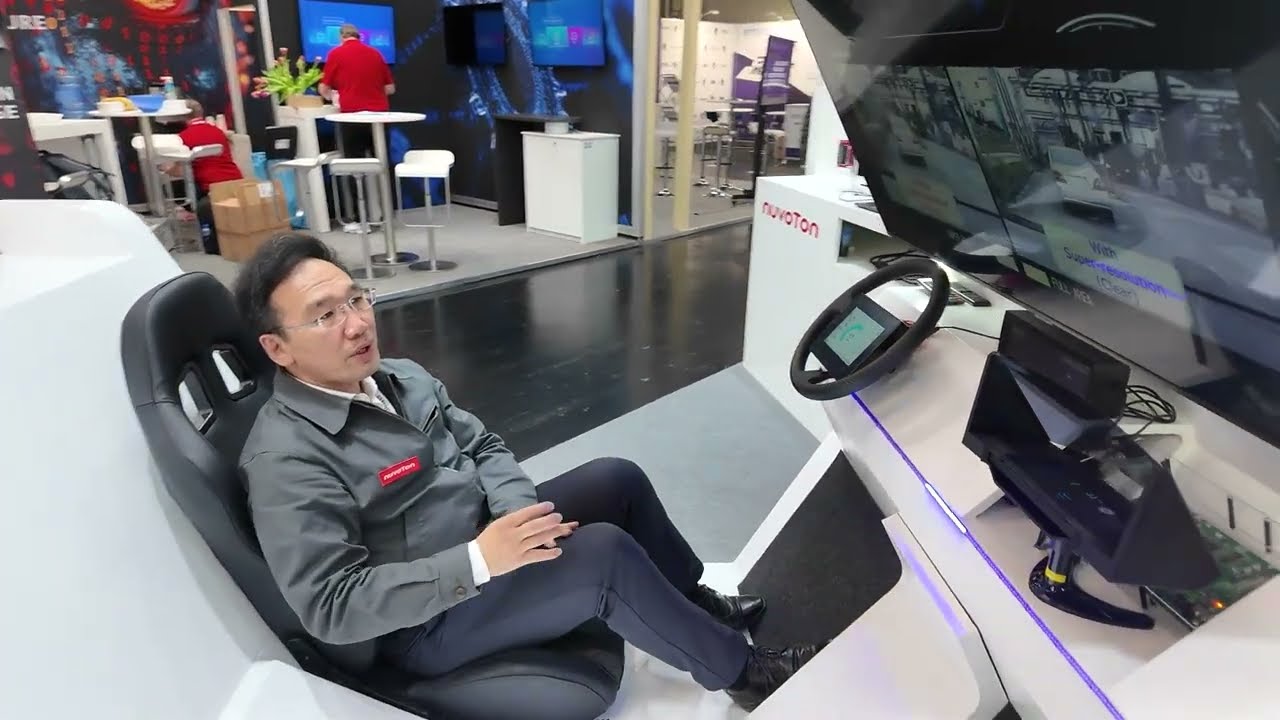
HMI for Automotive (Gerda™): Gerda™ integrates image processing, security, and display safety features designed for advanced standards. An ideal IC solution for HUDs, instrument clusters, and electronic mirrors.
• Image Technology & Cost Efficiency: 2.5D graphics and image processing engines provide a safe and easy-to-see HMI. The large built-in RAM removes the need for external DRAM, enabling a simpler design and lower BOM cost.
• Security & Safety Built in HSM supporting EVITA Full (secure boot / OTA updates). Supports ASIL B compliance for functional safety.
• Development Support: EVBs, SDKs, and dedicated technical support accelerate your development process.
#Nuvoton #NuMicro #Microcontroller #MCU #en #Embedded World #EW2026 #automotive #Gerda #HMI #product #application
-
For more information, please visit Nuvoton Technology Website: https://bit.ly/3hVdcmC
Buy now: https://direct.nuvoton.com/
Contact us: https://www.nuvoton.com/support/technical-support/form/
Follow us on LinkedIn: https://www.linkedin.com/company/nuvoton-technology-corporation/

アプリケーション
セミナー
ビデオの長さ - 2:13
◾ Digital Power Reference Solution
Nuvoton’s LLC EVB and Totem Pole PFC EVB simplify power-related developments, particularly for data center server PSUs. These reference solutions comply with the M-CRPS specification, integrating AC-DC and DC-DC converter solutions with built-in security functions. With full source code availability, they provide cost-effective, flexible, and rapid prototyping capabilities.
◾ Motor Control Reference Solution
Designed for applications such as heat pumps, water heaters, and HVAC systems, Nuvoton’s motor control solutions enable engineers to evaluate MCUs without developing separate evaluation boards, significantly reducing development time and costs.
#Embedded World #EW2025 #sustainability #digital power control #motor control #new energy #green energy #Intermediate #Application #Seminar #nuvoton #NuMicro #Microcontroller #MCU #en
-
For more information, please visit Nuvoton Technology Website: https://bit.ly/3hVdcmC
buy now: https://direct.nuvoton.com/
contact us: SalesSupport@nuvoton.com

トレーニング
学ぶ
ビデオの長さ - 20:21
MCUの世界への扉を叩いてみたいと思ったことはありませんか? ここに最適な入り口があります!
MCUに興味のある方がNuvotonの開発環境に慣れるために、初心者向けコースを提供します。本コースでは、EVB、デバッガ/プログラマ、IDE、BSP、ソフトウェアを含むNuvotonの開発プラットフォーム全体を理解できるだけでなく、実際に最初のプロジェクトを実装することができます。
Nuvotonは初心者にも優しい環境を提供しているので、ぜひご参加ください。Nuvotonのルーキーがあなたの道を導きます!
ワークショップ開始前の準備手順
ターミナルエミュレーターのダウンロード
PuTTY:Windows向けのオープンソースSSH/Telnetクライアント。
ダウンロード – 「putty.exe」 https://www.putty.org/
IDEインストール - KEIL MDK Nuvotonエディション (M0 / M23)
>連絡先情報の入力
>ダウンロード & インストール
>ライセンスの取得 & 追加
ダウンロードリンク:https://www2.keil.com/nuvoton/M0-M23
チュートリアル:https://youtu.be/dzp9sAm4vmg
アジェンダ
NuMicro® エコシステム
Nuvoton ゴールデン3ステップ
NuMakerボードの開封 & 紹介
超初心者向け実践 - クイックスタートで始めよう
まとめ
詳細については、Nuvoton Technology のウェブサイトをご覧ください: https://bit.ly/3hVdcmC
今すぐ購入: https://direct.nuvoton.com/
お問い合わせ: SalesSupport@nuvoton.com
#Training #Basic #ja #Learning

製品
学ぶ
ビデオの長さ - 5:29
日本語のCC字幕は機械翻訳によって作成されているため、一部表現に誤りがある場合がございます。 予めご了承いただけますと幸いです。
-
このビデオでは、NuMaker-HMI-MA35D1-S1 クイック スタートを紹介します。
1. 開梱
2. 電源オンとデモンストレーション
3. NuMaker-HMI-MA35D1-S1 の紹介
4. 開発プラットフォーム
5. 開発環境のセットアップ
#HMI #SoM #System-on-Module #Yocto #DevelopmentBoard #Product #general #ja #learning
-
For more information, please visit Nuvoton Technology Website: https://bit.ly/3hVdcmC
buy now: https://direct.nuvoton.com/
contact us: SalesSupport@nuvoton.com

トレーニング
アプリケーション
学ぶ
ビデオの長さ - 5:7
日本語のCC字幕は機械翻訳によって作成されているため、一部表現に誤りがある場合がございます。 予めご了承いただけますと幸いです。
-
MA35D1 の機能に応じて、6 つのデモンストレーションを実施します。
1. ビデオ再生: HD ビデオ出力
2. ML 人数カウント: 顔認識と人数カウント
3. 2D アクセラレータ: 2D ハードウェア アクセラレーションの例
4. データ セキュリティ: OP-TEE によるデータ セキュリティの向上
5. RTP M4 による KWS: MA35 内蔵 M4 を使用してキーワード検出を実行
6. VoIP: SIP に基づくネットワーク電話の例
ビデオでは、各例で使用されるリソースと操作の詳細を紹介します。
#HMI #IndustrialControl #Application #Linux #MPU #MA35D1 #Training #Learning #ja
-
For more information, please visit Nuvoton Technology Website: https://bit.ly/3hVdcmC
buy now: https://direct.nuvoton.com/
contact us: SalesSupport@nuvoton.com

トレーニング
アプリケーション
学ぶ
ビデオの長さ - 5:7
We implements 6 demonstrations according to the features of MA35D1:
1. Video Playback : HD video output
2. ML People Counting : Face Detection and Number Counting
3. 2D Accelerator : 2D Hardware acceleration example
4. Data Security : Improve data security with OP-TEE
5. KWS by RTP M4 : uses MA35 built-in M4 to perform keyword detection
6. VoIP : network phone example based on SIP
The video will introduce the resources and operation details used in each example.
#HMI #IndustrialControl #Application #Linux #MPU #MA35D1 #Training #Learning #en #NuMaker-HMI-MA35D1-S1
-
For more information, please visit Nuvoton Technology Website: https://bit.ly/3hVdcmC
Buy now: https://direct.nuvoton.com/
Contact us: https://www.nuvoton.com/support/technical-support/form/
Follow us on LinkedIn: https://www.linkedin.com/company/nuvoton-technology-corporation/

製品
学ぶ
ビデオの長さ - 5:29
This video will introduce NuMaker-HMI-MA35D1-S1 Quick Start to you.
1. Unboxing
2. Power On and Demonstration
3. NuMaker-HMI-MA35D1-S1 Introduction
4. Development Platform
5. Development Environment Setup
#HMI #SoM #System-on-Module #Yocto #DevelopmentBoard #Product #general #en #learning
-
For more information, please visit Nuvoton Technology Website: https://bit.ly/3hVdcmC
buy now: https://direct.nuvoton.com/
contact us: SalesSupport@nuvoton.com

アプリケーション
学ぶ
ビデオの長さ - 0:40
Motorcycle Dashboard Demo on NuMaker-HMI-N9H30 EVB
【Demo Features】
• Fast booting (booting time less than 1 sec)
• The dashboard GUI implementation by emWin graphics library
• The 2D GFx help the smooth TFT-LCD display
#en #Application #Learning #Basic
-
For more information, please visit Nuvoton Technology Website: https://bit.ly/3hVdcmC
buy now: https://direct.nuvoton.com/
contact us: SalesSupport@nuvoton.com

製品
ツール
学ぶ
ビデオの長さ - 8:24
The video introduces Nuvoton's MPU N9H30's development set-up for Linux and Non-OS, taking NuMaker-emWin-RDK-N9H30 for example. Starting from the EVB introduction to BSP and related software downloads.
-
User manuals and related resource can be downloaded
https://www.nuvoton.com/products/gui-solution/gui-reference-design/numaker-emwin-rdk-n9h30/
First, we introduce how to program Linux OS to the N9H30 evaluation board
Find the N9H30 evaluation board resource that we used on Nuvoton’s Github and download the VMware Image
https://github.com/OpenNuvoton/MPU-Family
VMware application can be downloaded from the VMware website
https://www.vmware.com/tw/products/workstation-player/workstation-player-evaluation.html
First, open the VMware
Find the ubuntu_NUC970_980_Linux folder we downloaded
Choose Ubuntu 64-bit_nuvoton.vmx
Choose Play virtual machine
The password is “user”
It will take a while to open this application for the first time
Open the terminal when the system is ready
Enter NUC970_Buildroot-master folder
After entering the folder, we need to update the Buildroot tool
Enter the command as shown below
“git reset –hard”
“git pull”
After updating, enter the dl folder
Remove the original Linux kernel and u-boot
Enter the command as shown below
“sudo rm -rf linux-master.tar.gz uboot-master.tar.gz”
After entering, enter the password “user”
Leave the dl folder and enter the Buildroot folder
Enter the “make clean” command
You don’t need to do these steps unless updating Buildroot tools
Now, we set up the evaluation board configuration
Enter configs folder to search evaluation board name
Back to buildroot after searching
Enter “make nuvoton_n9h30_emwin_defconfig” to generate configuration file
After finishing these step, enter “make” to compile
It will take about three hours to compile
After compiling, copy the two files below to windows
“/NUC970_Buildroot-master/output/images/uImage”
“/NUC970_Buildroot-master/output/build/uboot-master/u-boot.bin”
Create text file ”env-nor.txt”
The content is shown below:
baudrate=115200
bootdelay=1
stderr=serial
stdin=serial
stdout=serial
setspi=sf probe 0 50000000
loadkernel=sf read 0x7fc0 0x200000 0x600000
bootcmd=run setspi;run loadkernel;bootm 0x7fc0
bootargs=noinitrd root=/dev/mtdblock2 rw rootfstype=jffs2 console=ttyS0 rdinit=/sbin/init mem=32M mtdparts=m25p80:0x200000@0x0(u-boot),0x600000@0x200000(kernel),-(user) ignore_loglevel
Then, we need to install NuWriter and related file
The NuWriter is a programming tool provided by Nuvoton. The NuWriter application and firmware code are open-sourced, and users can add new features or develop new user interfaces per user’s application
NuWriter: https://github.com/OpenNuvoton/MPU-Family
Open “NUC970_NuWriter-master”
Enter Driver folder and install “WinUSB4NuVCOM.exe”
Enter /Nuwriter/Release and execute NuWriter
Choose IC number based on the evaluation board
We need to program Image to SPI Flash, so we choose SPI
Here we need to turn the all Power-On Setting to ON
Push Reset button
Return to NuWriter to check the green light and the connection
If it is not connecting, click Re-Connect to reconnect
After confirm the connection, start to program Image
Program the three files to particular address
u-boot.bin program to 0xe00000
env.nor.txt program to 0x80000
uImage program to 0x200000
After programming, turn the Power-On Setting to off
Push the Reset button
Evaluation board can start to boot from SPI-NOR
After booting, we need to find the rcS demo application under/etc/init.d
Enter “chmod 777 rcS” to modify the application
Now, you can see the application on the evaluation board panel
Here, we finish compiling and programming
The next topic is how to compile and program Non-OS code
First, download MDK-Arm from the link below
https://www.keil.com/download/product/
Download the Non-OS BSP provided by Nuvoton
https://github.com/OpenNuvoton/MPU-Family
The BSP includes Keil environment set up user manual
Use Keil need to purchase the related license
After downloading, Open Keil uVision
Click the File on the upper left and choose Open
Go to the BSP that we downloaded choose BSP, SampleCode, emWin_SimpleDemo, KEIL and emWin_SimpleDemo.uvproj
Click Option for Target
Click Device and choose NuMicro ARM9 Database and N9H_series
After setting up, click Rebuild, and it will generate a sample code application which is a binary file
Open the NuWriter and connect it to the evaluation board
Choose SPI and search the application we built
\N9H30_emWin_Non-OS_BSP_v1.04.000\N9H30_emWin_Non-OS_BSP_v1.04.000\BSP\SampleCode\emWin_SimpleDemo\KEIL\obj\emWin_SimpleDemo_FW070TFT_24BPP.bin
Follow the setting and program the file to 0x0
After programming, turn the Power-On Setting to boot from SPI
You can see the demo application on the evaluation
#Basic #Product #Tool #Learning #en
-
For more information, please visit Nuvoton Technology Website: https://bit.ly/3hVdcmC
buy now: https://direct.nuvoton.com/
contact us: SalesSupport@nuvoton.com

トレーニング
アプリケーション
ツール
ウェビナー
ビデオの長さ - 59:50
Always want to knock on the door and get in the MCU world? Here is a perfect entrance for you!
To let anyone interested in MCU familiar with Nuvoton’s development environment, we provide you a beginner course. Thus, you can have not only a whole picture of Nuvoton’s Development platform, including EVB, debugger/programmer, IDE, BSP, and software, but can also implement a very first project in this workshop.
Nuvoton has a user-friendly environment even for beginners, so don’t hesitate to join us. Let Novoton’s rookie lead your way!
Before we get started, please follow the steps before the workshop.
1. Terminal Emulator Download
PuTTY:An open-source SSH and telnet client for the Windows platform.
Download – "putty.exe" https://www.putty.org/
2. IDE Installation - KEIL MDK Nuvoton edition M0 / M23
>Enter Contact Information
>Download and Install
>Get and Add License
Download link:https://www2.keil.com/nuvoton/M0-M23
Tutorial:https://youtu.be/dzp9sAm4vmg
-
Agenda:
• NuMicro® Ecosystem
• Nuvoton Golden 3 Steps
• NuMaker Board Unboxing & Introduction
• Practice for Very Beginner - Get Started by Quick Start
• Summary
-
For more information, please visit Nuvoton Technology Website: https://bit.ly/3hVdcmC
buy now: https://direct.nuvoton.com/
contact us: SalesSupport@nuvoton.com
#Application #Tool #Training #Webinar #General #en
 粤公网安备 44030502010001号